You can get a perfectly good small business website for a few pounds a month, and you don’t need to be technical to do it. This website, the one you’re reading now, runs on free WordPress software with hosting from IONOS, and every theme and plugin on it is free.
This guide covers what a small business website really costs, your main options, the exact setup we use (and what it costs), and how to make sure people can actually find your site once it’s live. Quick note: we don’t build websites and nobody’s paying us to mention anyone. This is just what’s worked for us.
Contents
- What does a small business website actually cost?
- What your website actually needs
- Your main options
- Our setup: WordPress and IONOS
- How to set up a WordPress website on IONOS
- Can you make a website for free?
- Can AI build your website?
- Make it findable from day one
- Mistakes that cost you money
- Common questions
What does a small business website actually cost?
A website has three basic costs, whichever way you build it:
- A domain name. Your web address, like yourbusiness.co.uk. A small yearly fee, often free for the first year with hosting. More on picking one in our guide to choosing a domain name
- Hosting. Somewhere for your website to live online, paid monthly or yearly. With a website builder, it’s bundled into the subscription
- Building it. Either your own time, or someone else’s invoice
That last one is where the big differences are. Doing it yourself costs a few evenings. Paying a designer can cost anywhere from a few hundred to several thousand pounds, depending on who you hire and how much you need. Here’s how the main options compare:
| Option | Upfront cost | Ongoing cost | Good for |
|---|---|---|---|
| Free website builder plan | £0 | £0, but with adverts and no proper domain | Testing an idea |
| Paid website builder (Wix, Squarespace, GoDaddy and so on) | £0 | A monthly or yearly subscription | The easiest start, if you don’t mind being tied to one company |
| WordPress with a hosting company | £0 | Hosting, plus a domain name after any free first year | The most control for the money, with a bit more learning |
| Paying a web designer | Usually hundreds to thousands of pounds | Hosting and often a maintenance fee | Businesses with more budget than time |
The cheapest option on day one isn’t always the cheapest over a few years. Watch out for introductory prices that jump at renewal, and for paid add-ons you’ll need later (like booking forms or a shop).
What your website actually needs
Before you spend a penny, it helps to know how little you need. A small local business website only has a few jobs: tell people what you do, where you do it, why they should trust you, and how to get in touch.
A strong starter website looks like this:
- Home page. What you do and where, in the first sentence, with a clear way to contact you
- A page for each main service. One page per job you want to be found for, like “boiler repair” and “boiler servicing”
- About page. Who you are. Small businesses win on being real people, so use it
- Contact page. Phone, email, a simple form, opening hours and the areas you cover
- Reviews. A page or section showing what customers say
That’s five or six pages. You don’t need a blog, a shop or animations on day one. You can always add more once the basics are working.
Your main options
Website builders
Wix, Squarespace and GoDaddy’s builder let you drag and drop a website together from a template, with hosting included. They’re the quickest way to get something live, and they handle the technical bits for you.
The trade-offs: you pay a subscription for as long as you have the site, the cheapest plans can be limited, and moving to another platform later usually means rebuilding.
WordPress with a hosting company
WordPress is free software that runs a huge share of the world’s websites. You rent hosting from a company like IONOS, install WordPress (most hosts do this for you), and build your site with a theme and the block editor.
The trade-offs: there’s a little more to learn, and you’re responsible for clicking “update” now and then. In return you get more control, thousands of free themes and plugins, and the freedom to move host whenever you like.
Paying a web designer
A good designer saves you time and gives you something polished. If you go this way, ask exactly what’s included after launch (hosting, updates, changes), make sure the domain name is registered in your name, and check you’ll be able to edit the text yourself.
Our setup: WordPress and IONOS
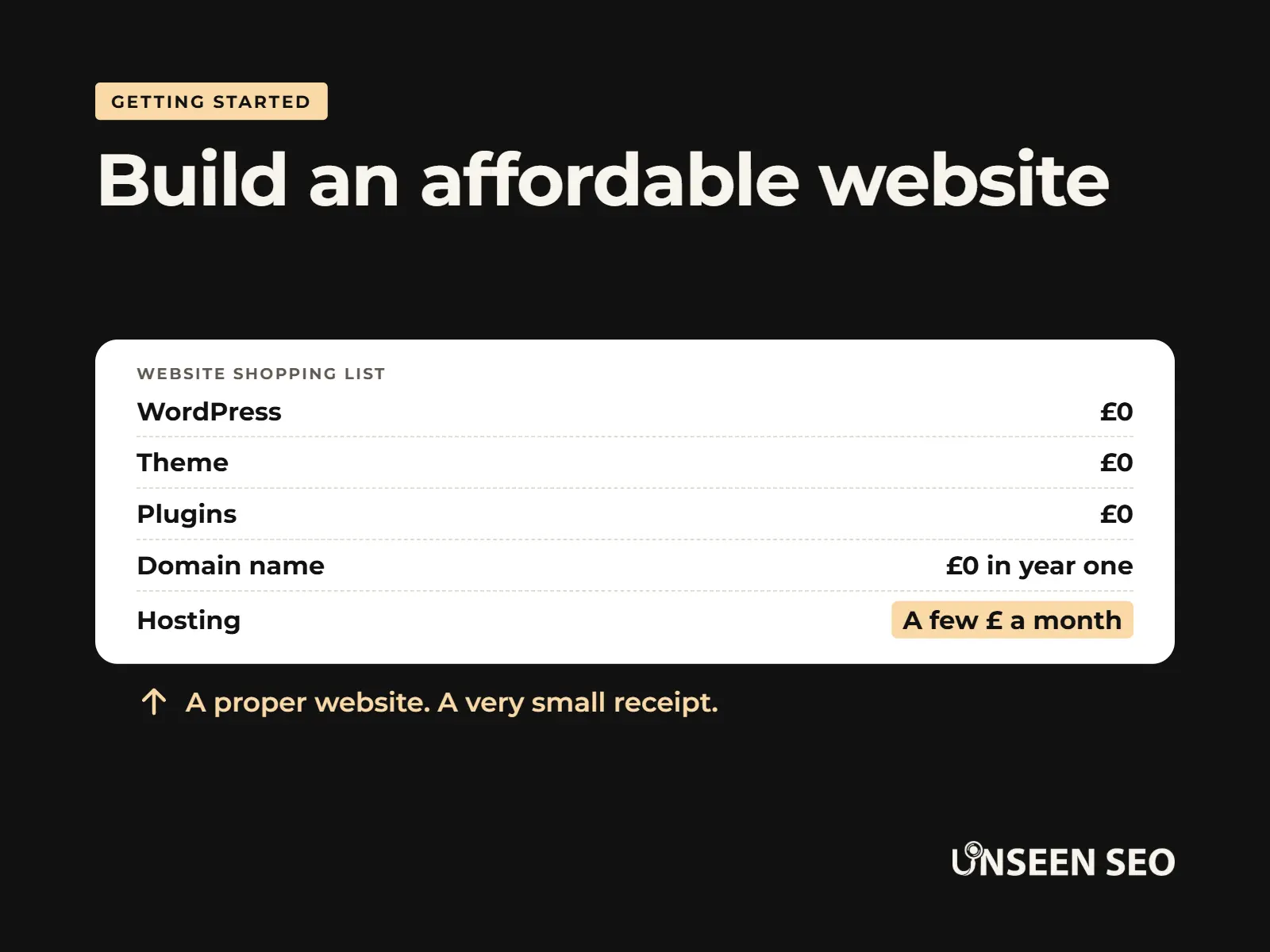
Here’s what this website runs on, and what it costs. No affiliate links, no sponsorship, just the receipt.
What this website runs on
WordPress
The software that runs the site
£0
Theme
A free WordPress theme, tweaked
£0
Plugins
Free ones only: SEO, Google Site Kit, redirects
£0
Domain name
Free for the first year with the hosting
£0 in year one
Hosting
IONOS WordPress hosting, after the intro offer
About £5 to £15 a month + VAT
IONOS’s published prices in November 2026. Offers change often, so check the price at checkout.
At the time of writing (November 2026), IONOS’s WordPress hosting comes in Start, Grow and Boost plans for most small businesses, plus an eCommerce plan for online shops. Each usually starts with an introductory offer, then renews at roughly £5 to £15 a month plus VAT. A domain name, an SSL certificate (the padlock that gives you HTTPS) and email accounts are included, with the domain free for the first year on a 12-month contract.
Why we went with it:
- It’s cheap. The whole website costs less a month than a takeaway
- It’s easy. IONOS sets WordPress up for you, so there’s no installing anything yourself
- It’s ours. WordPress can be moved to any other host, so we’re not locked in
- The free plugins are genuinely good. An SEO plugin for titles and descriptions, Google’s Site Kit to connect Search Console and Analytics, and Redirection for when a page moves
And the honest downsides:
- Watch the renewal price. The intro offer doesn’t last, so budget for the normal monthly price from the start
- You’re the maintenance team. WordPress and plugins need updating now and then. It’s a couple of clicks, but you do have to remember
- It takes an evening or two to learn. The block editor isn’t hard, but it isn’t Wix-level drag and drop either
How to set up a WordPress website on IONOS
The same steps work with most hosting companies, but here’s the route we took:
- Choose your domain name. Short, easy to say, ideally a .co.uk or .uk for a UK business
- Pick a WordPress hosting plan. For a small business website, one of the smaller plans is plenty. Check the renewal price as well as the intro price
- Claim your free domain during checkout, so it’s connected to your hosting automatically
- Let IONOS set up WordPress. It walks you through it and gives you a login for your new site’s dashboard
- Choose a simple theme. Free is fine. Pick something clean and quick to load rather than something flashy
- Add your pages. Home, services, about, contact and reviews, written in plain English for your customers
- Install a few free plugins. An SEO plugin, Google’s Site Kit, and a backup option if your plan doesn’t include one
- Connect Google. Set up Google Search Console and link your website to your Google Business Profile
Most people can get a simple site live over a weekend. It won’t be perfect, and that’s fine. A good, simple website that’s live beats a perfect one that’s still “nearly finished” next spring.
Can you make a website for free?
Technically, yes. Most website builders have a free plan. The catches are usually:
- Your address looks like yourbusiness.wixsite.com rather than yourbusiness.co.uk
- The builder’s adverts or branding appear on your site
- Features you’ll want later, like your own domain or a proper contact form, are on paid plans
A free plan is great for trying a builder out. For a real business, a web address with the builder’s name in it doesn’t exactly scream “established and trustworthy”. Spending a few pounds a month on your own domain and hosting is money well spent.
Can AI build your website?
AI is genuinely useful here. Tools like ChatGPT can help you plan your pages, draft your service descriptions and write an about page when you’re staring at a blank screen. Many website builders now offer AI that creates a first draft of a whole site in minutes.
Just treat it as a first draft. AI doesn’t know your business, your prices or your customers, and it will confidently make things up. Read every word, check every fact, and rewrite it so it sounds like you. Your customers are choosing a local person, not a robot.
Make it findable from day one
A website nobody can find is just an expensive business card. A few basics make a big difference, and none of them cost anything:
- Write a proper meta title and meta description for every page, using the words customers actually search
- One page per service. It’s far easier for Google to show your “boiler repair” page for “boiler repair” searches if that page exists
- Mention where you work. Your town and the areas you cover, naturally, on your pages
- Check Google can find you. Set up Search Console and submit your sitemap
- Keep it quick. Big images and too many plugins slow sites down. Here’s why websites get slow and what to do about it
- Ask for reviews. They help on your Google Business Profile and look great on your site too
New to all this? Our plain English guide to what SEO is is a good place to start. And if your site’s been live a while and still isn’t appearing, here’s why your business might not be showing up on Google.
Mistakes that cost you money
- Only looking at the intro price. Always check what it costs after the first few months or the first year
- Letting someone else own your domain. If a designer or agency registers it in their name, getting it back can be a headache. Make sure it’s in yours
- Paying for things you don’t need yet. Premium themes, paid plugins and big hosting plans can wait until you’ve outgrown the basics
- Never updating it. Out-of-date WordPress and plugins are a security risk. A few clicks a month keeps you safe
- No backups. Check whether your hosting includes them. If not, a free backup plugin is a must
- Building it and forgetting it. Old prices, an old phone number or a “Christmas offer” in June put customers off
Common questions about affordable websites
Quick answers to the questions people ask Google most about building a website on a budget.
Yes, but with catches. Free plans from website builders usually show the builder’s adverts and give you an address like yourbusiness.wixsite.com instead of your own domain name. That’s fine for testing an idea, but for a proper business website you’ll want your own domain, which means a small yearly cost at least.
Building it yourself costs a monthly or yearly fee for hosting or a website builder, plus a domain name. Paying a web designer usually means a one-off fee that can run into hundreds or thousands of pounds, depending on how much you need, plus ongoing hosting and maintenance. Always ask what’s included after launch.
Pick a domain name, choose a platform (a website builder, or WordPress with a host), pick a simple theme or template, then add the essential pages: home, services, about, contact and reviews. Finally, connect Google Search Console and your Google Business Profile so customers can actually find it.
There isn’t one best builder for everyone. Wix and Squarespace are the easiest to start with. WordPress with a good host gives you more control and is often cheaper over time, but takes a little more learning. Choose the one you’ll actually keep updated.
AI tools can help a lot: drafting your page copy, suggesting a structure and even writing code. Many website builders now have AI that generates a first draft of your site. You still need a domain, hosting and someone to check every word is accurate and sounds like you, because AI happily makes things up.
The WordPress software itself is free. You pay for hosting (somewhere for the website to live) and a domain name. Many themes and plugins are free too, and for a small business website the free ones are usually plenty.
A Google Business Profile is free and essential for local searches, so set it up either way. But a website gives you somewhere to explain your services properly, show more of your work and appear for more searches. The two work best together.
Fewer than you’d think. A home page, a page for each main service, an about page, a contact page and somewhere for reviews is a strong start. Add more pages when you have something useful to say, not to fill space.
Usually, yes, but it’s easier from some platforms than others. WordPress sites can be moved between hosts fairly easily. Moving away from a website builder often means rebuilding the pages. Either way, keep your own domain name so your web address never has to change.
The 30-second version
A small business website needs a domain name, hosting and five or six simple pages. Website builders are the easiest start; WordPress with a host like IONOS gives you more control for the money. Our own site runs on free WordPress, a free theme and free plugins, with IONOS hosting that renews at roughly £5 to £15 a month plus VAT and a domain that’s free for the first year. Check renewal prices, own your domain, keep it updated, and set up Search Console and your Google Business Profile so people can actually find you.
Want a hand with it?
We don’t build websites, but we can make sure yours gets found. Once it’s live, our £150 No Nonsense Audit checks it over and tells you in plain English what to fix first. If you’d rather someone sat with you while you set up the SEO basics (titles, descriptions, Search Console and the rest), that’s £50 an hour. Or just drop us a message.

Leave a Reply