
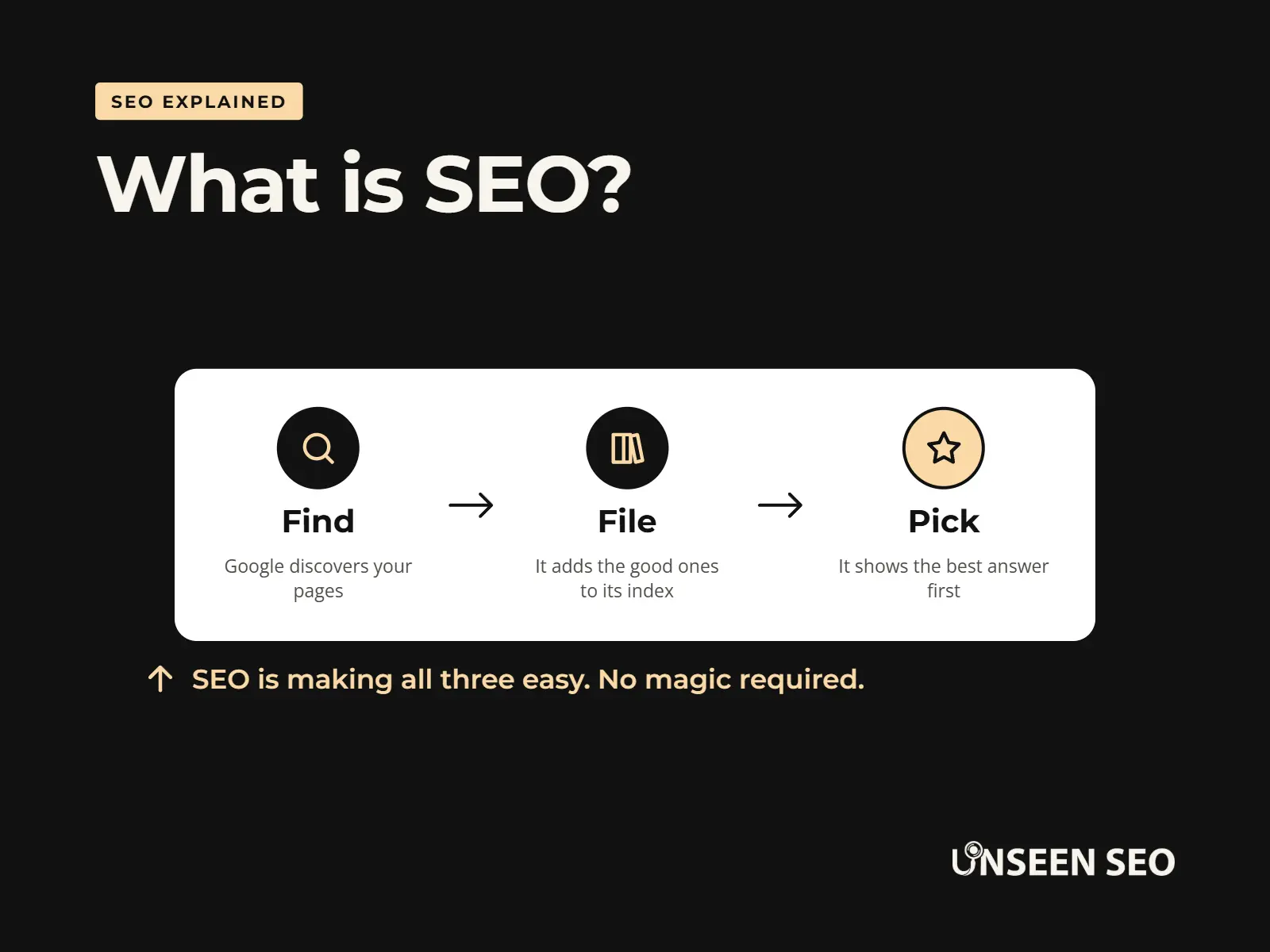
SEO stands for search engine optimisation. In plain English, it’s the free way to help Google understand your website, so the people searching for what you sell can find you. Nobody pays for the normal results under the ads, so every visit you earn there costs you nothing.
That’s the short answer. This guide gives you the slightly longer one: what SEO means, how it works, what it looks like for a small business, what it costs, and how to start. No jargon you’re expected to know already, and no secret formula (sorry, there isn’t one).
Contents
- What does SEO mean?
- How does SEO work?
- What SEO looks like for a small business
- The three types of SEO (plus one for local businesses)
- Why SEO matters for a small business
- SEO vs paid ads
- What about AI SEO?
- What SEO isn’t
- How long does SEO take?
- How much does SEO cost?
- How to get started with SEO
- Common questions
What does SEO mean?
SEO means search engine optimisation (or optimization, if you’re reading an American website). It’s everything you do to help a search engine like Google find your website, understand what each page is about, and trust it enough to show it to the right people.
Breaking the three words down:
- Search engine: Google, mostly. In the UK it handles the vast majority of searches, so that’s who this guide talks about. Bing and others work in similar ways.
- Optimisation: making things work better. Not tricks. Just making your website clearer, quicker and more useful.
- The results: the free listings under the ads, often called organic results. That’s the space SEO is about.
You’ll sometimes hear “SEO optimisation”, which technically means search engine optimisation optimisation. Everyone says it. Nobody minds.
What is SEO in marketing?
In marketing, SEO is one of the ways a business gets found online, alongside things like paid ads, social media and email. What makes it different is that you don’t pay per click. You put the work in once, and a page that ranks well can keep bringing in customers long after you’ve written it.
What is SEO for a website?
For your website, SEO comes down to three questions. Can Google find your pages? Does it understand what each one is about? And does it trust them enough to show them? Everything else in this guide is a more detailed version of one of those three.
How does SEO work?
SEO works by making your website easy for Google to do its three jobs. None of them involve a person looking at your website, which is why the details matter.
1. Find
Google’s crawlers follow links from page to page to discover what’s out there.
2. File
Pages worth keeping go into Google’s index, a giant library of the web.
3. Pick
When someone searches, Google picks the pages that best answer it, and puts them in order.
Step 1: Google finds your pages
Google uses automated programs called crawlers that follow links from page to page across the web. Most websites get found this way without the owner doing a thing. SEO people call this crawling, and a website that’s easy to crawl has good crawlability.
Where it goes wrong: a brand new website nothing links to yet, or pages that nothing else on your own site links to.
Step 2: Google files the ones worth keeping
Pages Google decides are worth keeping go into its index. This is called indexing. A page that isn’t in the index can’t show up in Google at all, however good it is.
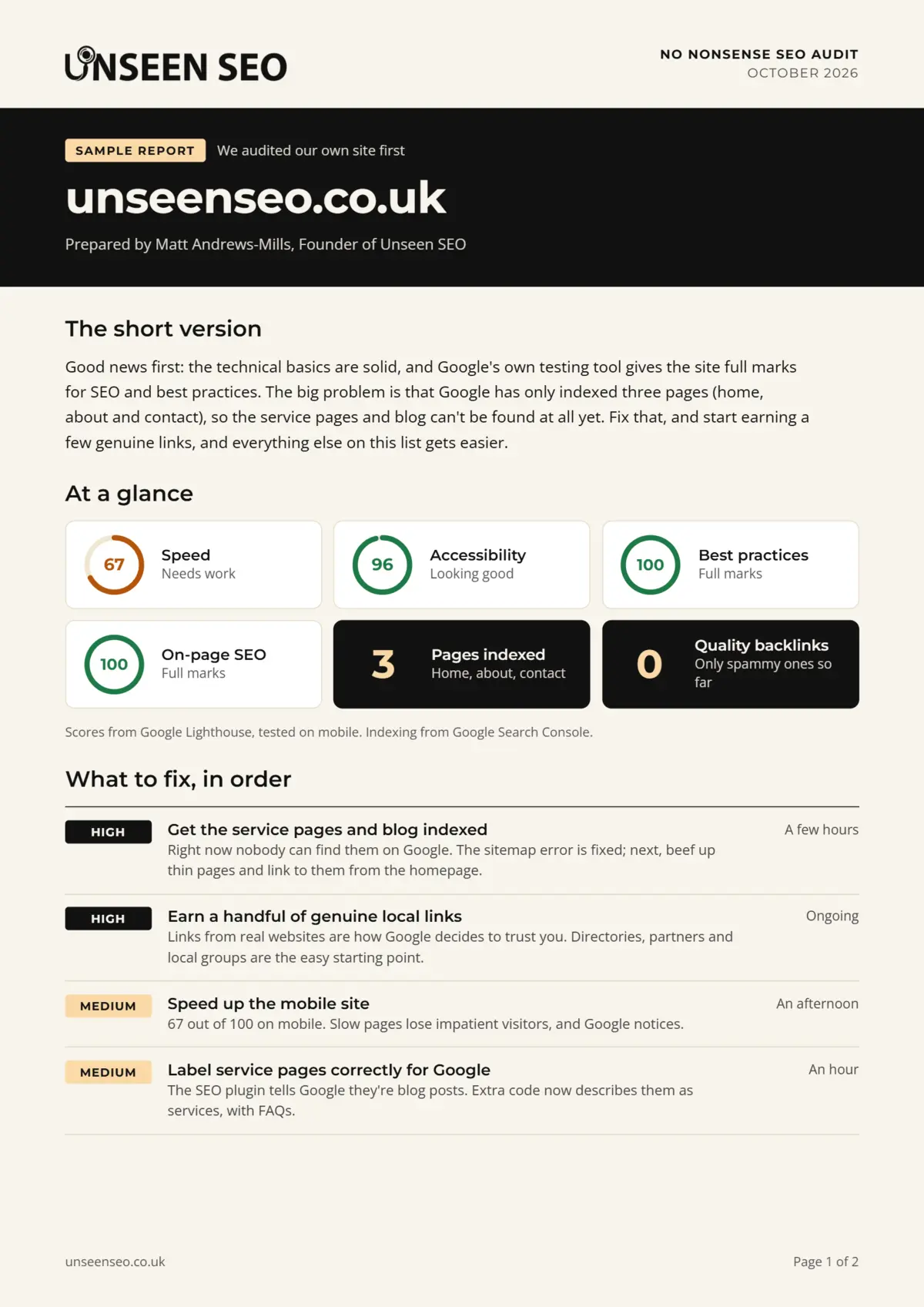
This catches out more businesses than you’d think, us included. When we audited our own website, only three of our pages were in Google’s index: the homepage, About and Contact. Everything else was invisible. A free tool called Google Search Console is how you check.
Step 3: Google picks the best answers
When someone searches, Google pulls the pages from its index that best answer that search and puts them in order. That order is your ranking. Google looks at lots of things to decide, which SEO people call ranking factors, but the big ones boil down to this:
- Relevance: does the page actually answer what was searched?
- Quality: is it useful, original and easy to read?
- Trust: do other websites, reviews and mentions suggest you’re the real deal?
- Usability: does it load quickly and work properly on a phone?
- Location: for local searches, how close you are to the person searching.
One thing worth knowing: Google ranks pages, not whole websites. That’s why each service you offer usually deserves its own clear, useful page.
What SEO looks like for a small business
SEO can sound abstract, so here’s a made up but very typical example. Smith & Sons are plumbers in Rotherham. Their website has one page that says “We do plumbing. Call us.” When someone in Rotherham searches “emergency plumber rotherham”, Smith & Sons are nowhere.
Here’s what SEO would actually mean for them:
- Checking Google can find and file the website at all (it couldn’t see half of it).
- Giving each service its own page: emergency call outs, boiler repairs, bathrooms.
- Writing those pages in the words customers use, with prices, areas covered and real photos.
- Giving each page a clear title and meta description, so the listing in Google is worth clicking.
- Setting up their Google Business Profile and asking happy customers for reviews.
- Making sure their name, address and phone number match everywhere they’re listed.
None of that is clever or secret. It’s just making the website clearer and more useful than the competition’s. That’s most of SEO for a small business.
After: how their listing could look in Google
https://smithandsonsplumbing.co.uk › emergency-plumber
Emergency Plumber in Rotherham | Smith & Sons Plumbing
Burst pipe or no hot water? Local, Gas Safe registered plumbers covering Rotherham and nearby. Fixed call out prices. Call now for a same day visit.
A made up example business, for illustration only.
The three types of SEO (plus one for local businesses)
You’ll often hear SEO split into three types. They’re just labels for those same three jobs: getting found, getting understood and getting trusted.
| Type | What it means | Examples |
|---|---|---|
| Technical SEO | Making sure Google can find, load and read your website | Speed, working on phones, sitemaps, HTTPS, fixing broken links |
| On-page SEO | The words and pages themselves | Useful content, keywords your customers use, page titles, headings, image alt text |
| Off-page SEO | What happens away from your website | Backlinks (links from other websites), reviews, mentions |
| Local SEO | Getting found by people nearby, especially on Google Maps | Google Business Profile, reviews, NAP consistency |
If you only have time for one, and your customers are local, start with local SEO. It’s often the quickest free win there is. Our beginner’s guide to local SEO walks you through it.
Why SEO matters for a small business
SEO matters because it’s how people who already want what you sell find you, without you paying for every click. A few reasons it’s worth the effort:
- The clicks are free. Ads stop the moment you stop paying. A well ranked page keeps working.
- People searching are ready. Someone typing “boiler repair near me” isn’t browsing. They want help, today.
- It builds up over time. Every useful page you add is another way to be found, and the work adds up.
- It builds trust. Showing up for the right searches, with good reviews, makes you look like the obvious choice.
- Your competitors are probably doing it. If they show up and you don’t, they get the call.
And if your website isn’t showing up at all? That’s usually very fixable. Here’s why your business might not be showing up on Google.
SEO vs paid ads
The results at the top of Google marked “Sponsored” are ads (often called PPC, or pay per click, because you pay each time someone clicks). Everything below them is free. Here’s how the two compare:
| SEO | Paid ads | |
|---|---|---|
| Cost per click | Free | You pay for every click |
| How quickly it works | Weeks to months | As soon as the ad goes live |
| When you stop | Rankings usually fade slowly, not overnight | Visits stop straight away |
| What it costs you | Time, yours or someone else’s | Money, every month |
| Best for | Being found for the long term | Quick results, or testing what works |
You might also hear SEM (search engine marketing). It’s an umbrella term that usually covers both, though some people use it to mean paid ads only. Plenty of businesses use a bit of both. If budget’s tight, SEO is the one that keeps paying you back.
What about AI SEO?
Good news: you don’t need a separate budget for AI. You’ve probably seen AI Overviews, the AI written summaries at the top of many Google searches, with links to the websites they used. “AI SEO” usually means trying to be one of those links, or getting mentioned by tools like ChatGPT.
Google’s own guidance (AI features and your website) says the normal SEO best practices apply. It says there are no extra requirements to appear in AI Overviews or AI Mode, and you don’t need special AI files or special schema. A page just needs to be in Google’s index and able to show in normal results.
You’ll also hear new names like GEO (generative engine optimisation) and AEO (answer engine optimisation). In our view, the advice underneath barely changes: clear, useful pages that answer real questions, near the top of the page, from a business people can trust. If someone sells you an “AI SEO package” built on special files or code, ask what it does that good, ordinary SEO doesn’t.
What SEO isn’t
A lot of what’s said about SEO online is out of date, or never was true. So, for the record, SEO isn’t:
- A trick or a secret. There’s no hidden setting that puts you top of Google.
- Stuffing keywords everywhere. Repeating a phrase over and over (keyword stuffing) is against Google’s spam rules, and it reads terribly.
- Buying links. Cheap link packages break Google’s rules and are usually worse than nothing.
- A one-off job. The basics can be sorted in an afternoon, but SEO works best when you keep your website up to date.
- A guarantee. Nobody can honestly promise you page one, or a date you’ll get there.
There’s more where that came from in what you can safely ignore, including the myth that every page needs 1,000 words.
How long does SEO take?
SEO is free to start, but it does cost patience. Google says some changes can show up within a few hours, while others take several months, and that it’s generally worth waiting a few weeks before judging whether something has worked.
As a rough guide, fixing something that stops Google seeing your pages can be noticed fairly quickly, rewriting a page usually takes weeks, and a brand new website in a busy local market takes months. If anyone promises you a ranking by a date, they’re guessing.
How much does SEO cost?
SEO can cost nothing but your time. Everything in our beginner’s guide can be done for free, with free tools. Where it costs money is when you pay someone to do it, and how they charge varies a lot:
- Doing it yourself: free, apart from your time.
- A one-off audit: someone checks your website and tells you what to fix. Ours is £150.
- Hourly help: you pay for the time you use. Ours is £50 an hour, with no contract.
- Monthly retainers: common with agencies. You pay every month, often with a minimum contract.
For most small businesses, a sensible order is: do the basics yourself, get an audit when you’re stuck, and only pay for ongoing help if there’s a clear reason to.
How to get started with SEO
You can start SEO as a complete beginner this afternoon, for free. Here’s the order we’d tackle it in:
- Check Google can find you. Search
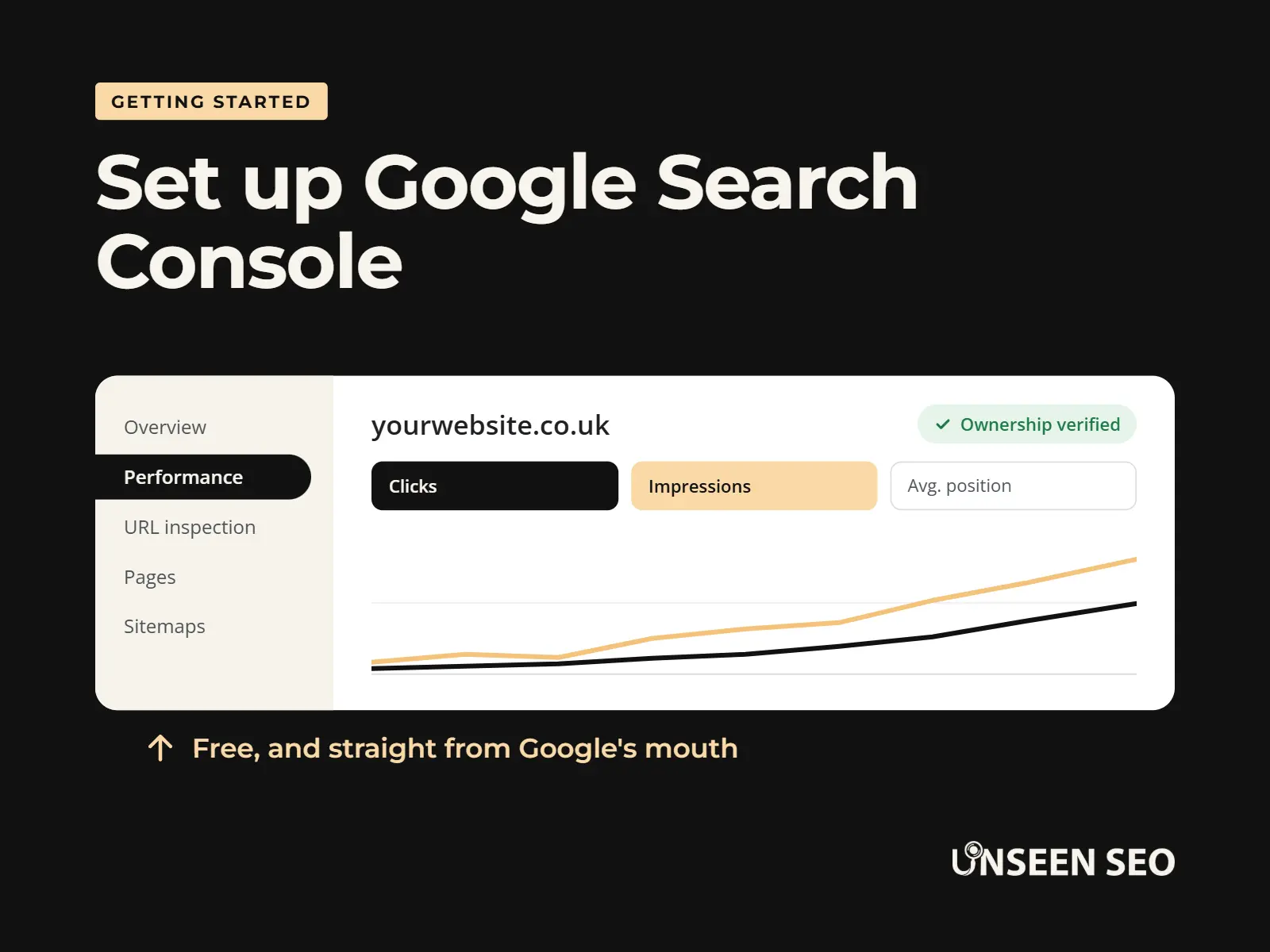
site:yourwebsite.co.ukon Google and see how many of your pages come up. - Set up Google Search Console. It’s free, and it shows exactly what Google sees. Here’s how to set it up.
- Set up your Google Business Profile if you serve local customers. Our step by step guide covers it.
- Make each main page clear. One service per page, in your customers’ words, with a proper title and description.
- Ask for reviews. Your last five happy customers are a good place to start.
When you’re ready for more, our free SEO for beginners guide goes through all of it in fifteen short chapters, and our free SEO audit checklist gives you 37 checks in order of what matters most.
Common questions about SEO
Quick answers to the questions people ask most about what SEO is.
SEO (search engine optimisation) is helping Google find, understand and trust your website, so it shows your pages to people searching for what you offer. It works in three steps: Google finds pages by following links, files the ones worth keeping in its index, then picks the best answers when someone searches.
Start by checking Google can find your website: search site:yourwebsite.co.uk and set up Google Search Console. Then set up your Google Business Profile if you have local customers, make each main page clear and useful, and ask happy customers for reviews. Our free SEO for beginners guide walks you through it.
Yes. The basics don’t need special skills or paid tools, just a bit of time. Plenty of small businesses sort out the essentials themselves, then bring someone in for the trickier bits, like technical problems or working out why a page won’t rank.
It can be. Almost every business with a website needs to be found online, so there are roles in agencies, in-house teams and as a freelance consultant. It suits people who like a mix of writing, problem solving and a bit of tech, and it changes often, so you never stop learning.
In marketing, SEO is the channel that gets you found in the free search results, rather than through paid ads, social media or email. You don’t pay per click, so a page that ranks well can keep bringing in customers for years.
Usually, yes, especially if your customers search for what you do online. The basics are free, the clicks are free, and the work builds up over time. It won’t work overnight, though, and nobody can honestly guarantee a ranking.
AI SEO usually means getting your website shown or mentioned in AI answers, like Google’s AI Overviews or tools such as ChatGPT. Google says the normal SEO best practices apply to its AI features, with no extra requirements or special files needed.
The 30-second version
SEO is helping Google find your website, understand it and trust it, so the right people find you for free. It’s mostly common sense: clear pages, written for customers, on a website that works. It takes a little patience, and nobody can promise you page one, but the basics cost nothing to sort.
Want a hand with it?
Rather someone just told you what’s holding your website back? That’s what our £150 No Nonsense Audit is for: a plain English list of what to fix first, with no retainer and no contract. Fancy having a go yourself first? Start with our free SEO for beginners guide, or just drop us a message with your question.


Leave a Reply