
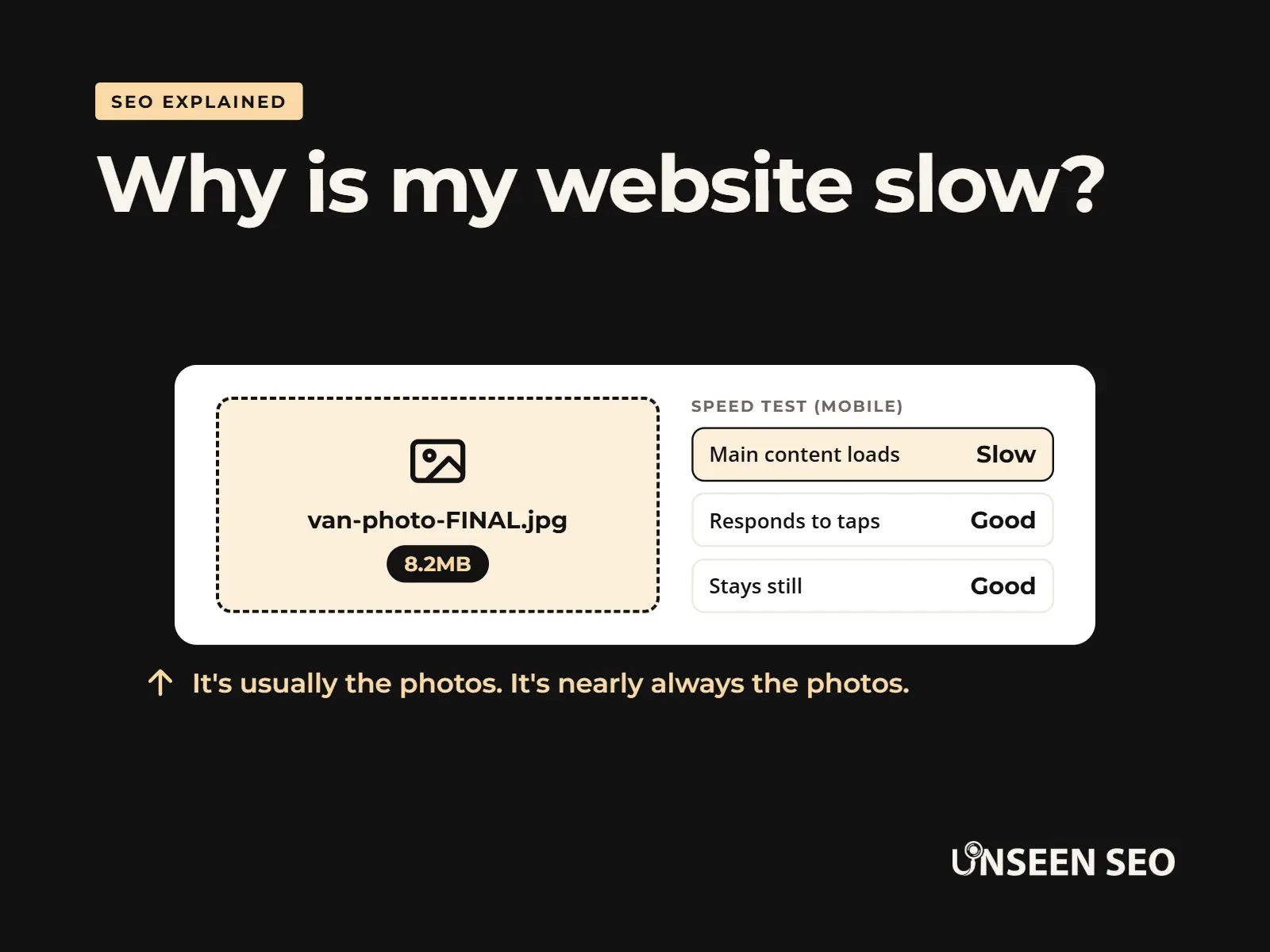
Most slow websites come down to a handful of fixable things, and the biggest one (oversized photos) usually costs nothing to sort. You can test your own website for free in about a minute and see exactly what’s holding it back.
This guide explains why websites get slow, whether it affects your Google ranking, how to test yours and what to fix first. No computer science degree needed, and no judgement about that 8MB photo of your van on the homepage.
Contents
- Why is my website slow? The short answer
- Does a slow website hurt your Google ranking?
- How to test your website speed for free
- Core Web Vitals in plain English
- 10 common reasons your website is slow
- Which fix first? Match your symptom
- Quick fixes you can do today
- WordPress, Wix, Squarespace and Shopify tips
- When to get help
- Common questions
Why is my website slow? The short answer
A website is slow when the browser has too much to download, too much to work out, or has to wait too long for your hosting to respond. On small business websites, it’s nearly always one of these five:
- Oversized photos. Images straight off a phone or camera, far bigger than they need to be.
- Too many plugins or apps. Each one adds code that has to load.
- Slow or overcrowded hosting. The server takes ages to respond before anything even starts.
- No caching. Your website rebuilds every page from scratch for every visitor.
- Heavy extras. Sliders, autoplay videos, chat widgets, social media feeds and pop-ups.
The good news: the first one is the most common, and it’s also the easiest to fix.
Does a slow website hurt your Google ranking?
A little, yes. Google uses page experience, including speed, as one of the things it looks at when ranking pages. But Google is clear that the most relevant, useful page usually wins, even if it’s not the fastest. Speed is more of a tie breaker than a trump card.
The bigger cost is customers. People searching on their phone won’t wait long for a page to load. If yours is slow, they hit the back button and pick the next business on the list, no matter where you rank. That’s why speed is worth fixing even if Google didn’t care at all.
How to test your website speed for free
You don’t need to pay for a speed test. These free tools tell you how fast your website is and what’s slowing it down:
- Google PageSpeed Insights (pagespeed.web.dev). Paste in a page address and look at the Mobile tab first, as that’s what Google judges you on. It shows a score and a list of suggestions.
- Google Search Console. The Core Web Vitals report shows which of your pages real visitors find slow. Small websites sometimes don’t have enough visitors for this report yet, which is normal.
- GTmetrix or Pingdom. Both free, and handy for seeing exactly which files take longest to load.
- Your own phone. Turn off wifi and load your website on mobile data. If it feels slow to you, it feels slow to your customers.
Don’t panic about the score out of 100. It’s a lab test, not real visitors, and plenty of perfectly successful websites score lower than you’d expect on mobile. Focus on the suggestions at the top of the list, and on how the page feels to use.
What a speed test might show (mobile)
Main content loads
4.8s
Slow. Usually a big image.
Responds to taps
150ms
Good.
Stays still
0.02
Good. Nothing jumps about.
A made up example, for illustration only.
Core Web Vitals in plain English
Google measures how a page feels to use with three Core Web Vitals. They sound technical, but each one answers a simple question:
| Name | The plain English question | Good is | Usual culprit |
|---|---|---|---|
| Largest Contentful Paint (LCP) | How long until the main thing on the page appears? | 2.5 seconds or less | A huge hero image or slow hosting |
| Interaction to Next Paint (INP) | When I tap something, how quickly does the page respond? | 200 milliseconds or less | Too much JavaScript from plugins and widgets |
| Cumulative Layout Shift (CLS) | Does stuff jump around while the page loads? | 0.1 or less | Images without set sizes, late banners and pop-ups |
You don’t need to memorise the names. If your main image appears quickly, buttons respond straight away and nothing jumps as you go to tap it, you’re in good shape.
10 common reasons your website is slow
1. Your photos are far too big
This is the big one. A photo from a modern phone can be several megabytes and thousands of pixels wide, while most website images display at a fraction of that. Resize photos to roughly the size they’re shown at, compress them, and use a modern format like WebP where you can. It can make a huge difference on its own.
2. Too many plugins or apps
Each plugin or app you add can load its own code on every page, even pages that don’t use it. Ten you set up and forgot about can add up. Remove anything you’re not using, and be wary of plugins that do lots of things you don’t need.
3. Slow or overcrowded hosting
Cheap shared hosting puts lots of websites on one server. If your website takes a second or more to even start loading, your hosting may be the bottleneck. Speed tests sometimes call this “server response time” or “time to first byte”. Better hosting doesn’t always cost much more.
4. No caching
Caching saves a ready made copy of each page so your website doesn’t have to build it from scratch for every visitor. Many hosts and website builders do it for you. On WordPress, you may need a caching plugin or to switch it on in your hosting dashboard.
5. A heavy theme or page builder
Some themes and page builders load piles of code for features you’ll never use, like animations, sliders and dozens of fonts. A simpler, lighter theme is often quicker and easier to look after.
6. Sliders and autoplay videos
A big rotating slider or background video at the top of your homepage is often the heaviest thing on the page. One strong image and a clear headline usually does the same job, and loads in a fraction of the time.
7. Too many extras and trackers
Chat widgets, social media feeds, review widgets, cookie banners, embedded maps and tracking codes all load from other companies’ servers. Each one is small, but together they can slow things right down. Keep the ones that earn their place.
8. Too many fonts
Every font, and every weight of every font (light, regular, bold), is a separate download. Two fonts in a couple of weights is plenty for most websites.
9. Out of date software
Old versions of WordPress, plugins or the software your server runs on (often PHP) can be noticeably slower, as well as less secure. Keeping things updated is free and usually helps.
10. Videos and files hosted on your own website
Uploading large videos straight to your website makes your hosting do all the heavy lifting. Upload them to YouTube or Vimeo and embed them instead, ideally so they only load when someone presses play.
Which fix first? Match your symptom
Tap the one that sounds most like your website.
“It’s fine on my laptop but slow on my phone”
ImagesPhones on mobile data feel big files the most. Resize and compress your photos, starting with the homepage.
“There’s a long pause before anything appears”
Hosting or cachingYour server is slow to respond. Check caching is switched on, then ask your host about it or consider better hosting.
“Things jump about as the page loads”
Layout shiftUsually images without set sizes, or banners and pop-ups appearing late. Give images fixed dimensions and calm the pop-ups down.
“Buttons feel laggy when I tap them”
ScriptsToo much JavaScript from plugins, widgets and trackers. Remove the extras you don’t need.
“It got slow after I added something”
A plugin or appSwitch the newest addition off and test again. If it speeds up, you’ve found your culprit.
Quick fixes you can do today
In rough order of effort, from five minutes to an afternoon:
- Run your homepage through PageSpeed Insights and note the top three suggestions.
- Resize and compress your biggest images, especially the one at the top of your homepage.
- Delete plugins or apps you don’t use. Deactivating isn’t always enough on WordPress, so remove them fully.
- Swap a slider or background video for one good image.
- Check caching is switched on in your hosting dashboard or website builder.
- Update your website software and plugins.
- Test again and compare. Then check your Core Web Vitals report in Search Console over the next few weeks.
WordPress, Wix, Squarespace and Shopify tips
| Platform | What you control | Worth checking |
|---|---|---|
| WordPress | Almost everything, including hosting | Plugin count, a caching plugin or host caching, image compression, your theme, and how up to date everything is (including PHP) |
| Wix | Content, apps and design (hosting is handled for you) | Image sizes, the number of apps, animations, and embedded videos or feeds |
| Squarespace | Content, blocks and design (hosting is handled for you) | Image sizes, background videos, custom code and fonts, and very long pages |
| Shopify | Theme, apps and content (hosting is handled for you) | Unused apps (they can leave code behind), image sizes, and theme features you don’t use |
On Wix, Squarespace and Shopify, hosting and caching are mostly out of your hands, so images, apps and extras are where your quick wins are.
When to get help
Plenty of speed fixes are DIY. It’s worth getting help when the suggestions in PageSpeed Insights read like a foreign language, when you’ve done the basics and it’s still slow, or when the fix means touching your theme, hosting or code. Speed is one part of technical SEO, and it’s often tangled up with other technical problems.
Our technical SEO help is £50 an hour, with no contract. We can fix it for you, or give your web developer a clear, plain English list.
Common questions about slow websites
Quick answers to the questions people ask most about website speed.
Usually because of oversized images, too many plugins or apps, slow hosting, no caching, or heavy extras like sliders, videos and chat widgets. A free test in Google PageSpeed Insights will show you which ones apply to your website.
Start by testing it in Google PageSpeed Insights. Then resize and compress your images, remove plugins or apps you don’t use, make sure caching is switched on and replace heavy sliders or videos. If it’s still slow, look at your hosting.
A little. Google uses page experience, including speed, when ranking pages, but relevant, useful content matters more. The bigger effect is on visitors: slow pages make people leave before they ever contact you.
If every website feels slow, the problem is more likely your device, browser (too many tabs or extensions) or wifi signal than your internet speed. If it’s only your own website, the problem is the website itself.
If lots of websites suddenly feel slow, it’s usually your connection, your device, or an outage at a big provider many websites rely on. If it’s just your website, test it with PageSpeed Insights.
Aim for the main content to appear within about 2.5 seconds on a phone, for the page to respond quickly when tapped, and for nothing to jump around while it loads. Those are Google’s Core Web Vitals targets.
It might be. If speed tests show a long wait before anything starts loading (often called server response time or time to first byte), your hosting is a likely culprit. Check caching is on first, then talk to your host.
The 30-second version
Most slow websites are slow because of big photos, too many plugins, slow hosting, no caching or heavy extras. Test yours free with PageSpeed Insights, fix your images first, clear out what you don’t use and check caching is on. Speed nudges your Google ranking a little, but it makes a big difference to whether visitors stay.
Want a hand with it?
Not sure what’s slowing you down? Our £150 No Nonsense Audit checks your speed alongside everything else, and gives you a plain English list of what to fix first. Already know it needs fixing? Our technical SEO help is £50 an hour. Or just drop us a message.


Leave a Reply