
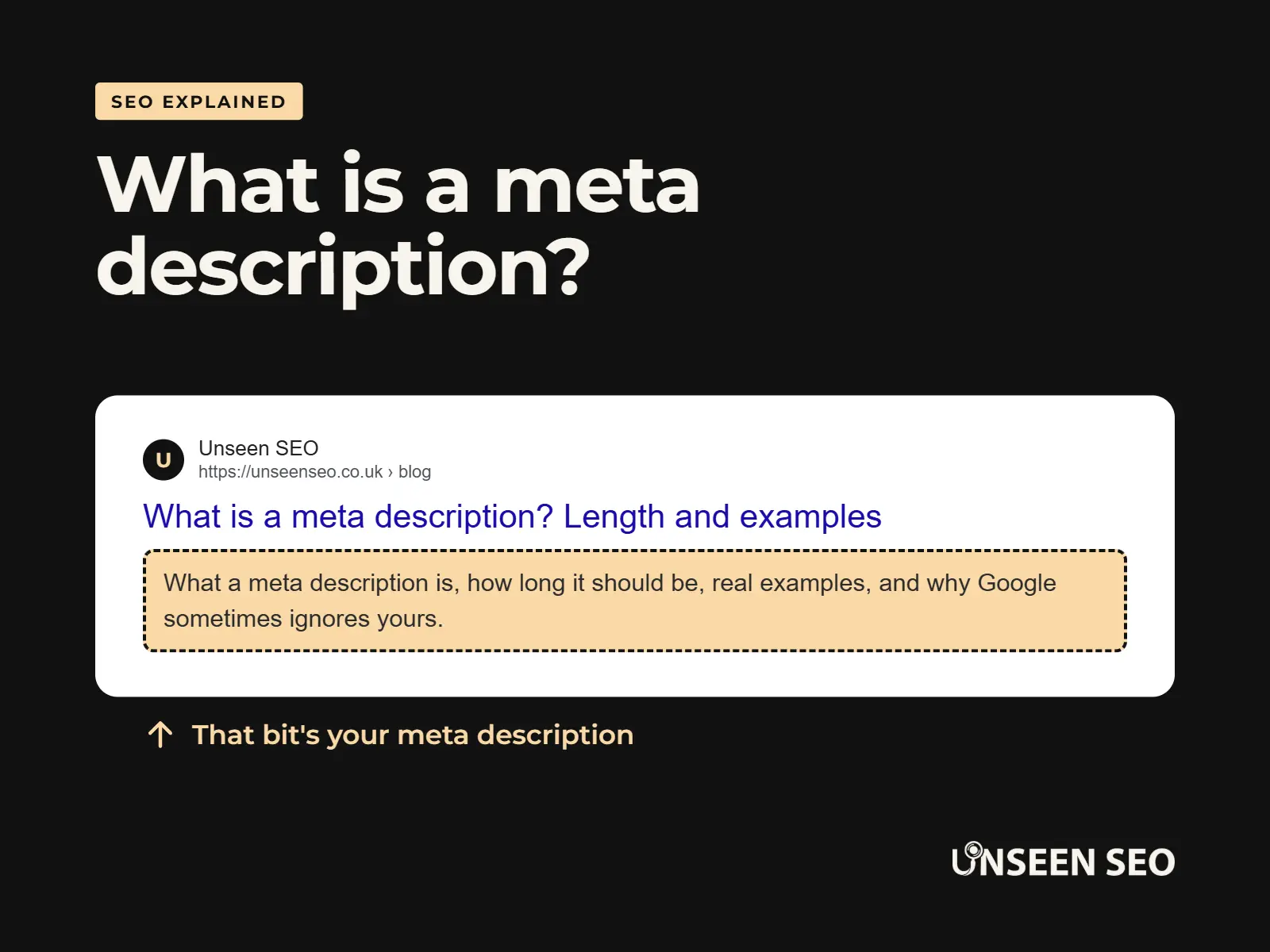
A meta description is one of the cheapest, simplest SEO jobs there is. It’s a sentence or two, it costs nothing to write, and it’s often the difference between someone clicking on your website in Google or scrolling straight past it.
It’s also one of the most misunderstood bits of SEO. People worry about the exact length, stuff it with keywords, or skip it completely because “Google rewrites them anyway”. So here’s the plain English version: what a meta description is, how long it should be, lots of examples, and how to write a good one in about five minutes.
Contents
- What is a meta description?
- What a meta description looks like
- Do meta descriptions still matter for SEO?
- Meta description length: how long should it be?
- How to write a good meta description
- Meta description examples, good and bad
- Meta titles and descriptions: what is the difference?
- Where to find and add your meta description
- Why is Google ignoring my meta description?
- Meta description checkers and generators
- Meta description FAQs
What is a meta description?
A meta description is a short summary of a web page that you write for search engines. It sits in the page’s code rather than on the page itself, and Google often shows it as the grey text under the blue link in its search results.
Think of it as the blurb on the back of a book. The title (your meta title) gets someone’s attention, and the description tells them whether this is the page they’re after. It’s your one chance to make your pitch before anyone has even visited your website.
Visitors won’t see it once they’re on your page. It only shows up in places that preview your page: Google’s search results (the SERP, or search engine results page), other search engines, and sometimes when your link is shared on social media or in messaging apps.
What a meta description looks like
In the code of your page, a meta description looks like this:
<meta name="description" content="Plain English SEO audits for small businesses in South Yorkshire. £150, no jargon, no retainer. Find out exactly what's holding your website back.">You’ll almost never need to type that code yourself. Website builders and SEO plugins give you a simple box to fill in, and they add the code for you (more on that below).
In Google’s results, that same description would appear under the page title, like this:
unseenseo.co.uk › services › affordable-seo-audits
Affordable SEO audits for small businesses | Unseen SEO
Plain English SEO audits for small businesses in South Yorkshire. £150, no jargon, no retainer. Find out exactly what’s holding your website back.
Do meta descriptions still matter for SEO?
Yes, but not in the way most people think.
Meta descriptions aren’t a ranking factor. Google has said for years that it doesn’t use them to decide where your page ranks, so stuffing yours with keywords won’t move you up a single place.
What they do affect is clicks. Your position in Google gets you seen. Your title and description decide whether anyone actually clicks. The percentage of people who see your result and click on it is called your click-through rate, and a clear, tempting description can nudge it up. More clicks from the same ranking means more visitors for free.
You can see this for yourself in Google Search Console. It shows how many times each page appeared in Google (your impressions) and how many people clicked. A page with lots of impressions but very few clicks is often a sign its title and description need some love.
They’re also used beyond Google. Social media sites and messaging apps often pull the meta description into link previews, and AI tools can use it as a quick summary of what a page is about. If you don’t write one, something else will fill the gap, and it probably won’t be the bit you’d have chosen.
So it’s not the most important thing on your website. But for five minutes’ work per page, it’s one of the best value jobs in SEO.
Meta description length: how long should it be?
Aim for roughly 120 to 155 characters. That’s long enough to say something useful and short enough that it usually won’t get cut off.
Here’s the detail behind that number. Google doesn’t actually have a character limit. It cuts descriptions off based on how much space they take up on the screen (measured in pixels), so a description full of wide letters like “W” gets cut sooner than one full of narrow letters like “i”. On desktop that works out at roughly 155 to 160 characters, and on mobile it’s shorter, at around 120.
So the practical advice is:
- Keep the important bit (what you do and why someone should click) in the first 120 characters, so it survives on mobile
- Use the rest for a bit of extra detail or a call to action
- Don’t panic if a description runs a little long. It just gets trimmed with “…”, which isn’t the end of the world
- Don’t go too short either. A 40-character description wastes space you could be using to sell your page
Not sure if yours fits? Paste it into our free meta description checker and it’ll measure it in pixels for you, the same way Google does.
How to write a good meta description
You don’t need to be a copywriter. Follow these seven steps and you’ll be ahead of most websites.
1. Say exactly what the page is about
Be specific. “Boiler servicing in Sheffield” beats “Welcome to our website” every single time.
2. Match what the searcher wants
Think about why someone would search for this page. That’s search intent. Someone looking for a price wants to know you’ll tell them the price. Someone looking for help wants to know you’ll explain it simply.
3. Include your main keyword, naturally
Use the phrase people actually search for, once. Google often puts matching words in bold in its results, which helps your result stand out. Just don’t cram it in three times, which looks spammy to people and Google alike (that’s keyword stuffing).
4. Give people a reason to pick you
Price, location, speed, experience, guarantees you actually offer: whatever makes your business the obvious choice. “Same-day call outs” or “£150, no retainer” are the kind of details that earn clicks.
5. Add a call to action
Tell people what to do next: “Find out more”, “Get a free quote”, “See our prices”. Keep it friendly rather than pushy.
6. Make every page unique
Every page should have its own description. Copying the same one onto every page is a missed opportunity, and it’s one of the most common things we find in an SEO audit.
7. Keep it honest
Only promise what the page delivers. A description that oversells gets the click, then loses the visitor seconds later, which helps nobody.
Meta description examples, good and bad
Here are some meta description examples for the kinds of small businesses we work with. The businesses are made up, but the lessons are real.
Example: A local plumber
“Plumber in Sheffield for repairs, boiler servicing and emergency call outs. Gas Safe registered, fixed prices, no call-out fee. Call for a free quote.” (150 characters)
Example: A café
“Independent café in Barnsley town centre serving breakfast, brunch and homemade cakes. Dog friendly, free Wi-Fi, open seven days a week. Pop in and say hi.” (155 characters)
Example: An accountant
“Friendly accountants for sole traders and small businesses in Doncaster. Tax returns, bookkeeping and VAT made simple. Fixed monthly fees, no surprises.” (152 characters)
Example: A blog post
“What is thin content, and is it holding your website back? Learn how to spot thin pages and the five simple ways to fix them, in plain English.” (143 characters)
Each one says what the business does, where, why you’d pick them, and what to do next. None of them are clever. They don’t need to be.
And a few bad examples
- “Welcome to our website.” (23 characters) Says nothing about the business at all.
- “Plumber Sheffield, plumbers Sheffield, cheap plumber Sheffield, best plumber Sheffield, emergency plumber Sheffield.” (116 characters) Keyword stuffing. Nobody wants to click on that.
- “Smith & Sons have been proudly serving the community for over thirty years with a commitment to quality, integrity and customer service that is second to none in the” (165 characters) Too long, says nothing specific, and gets cut off mid-sentence.
Meta titles and descriptions: what is the difference?
They work as a pair, and you’ll usually find them right next to each other in your SEO settings.
- The meta title (sometimes called the title tag) is the blue, clickable headline in Google’s results. It’s around 50 to 60 characters and it does matter for rankings, so it should include your main keyword
- The meta description is the summary underneath. It’s longer, around 120 to 155 characters, doesn’t affect rankings directly, and its job is to persuade people to click
- Your page heading (H1) is different again: it’s the big heading people see once they’re on your page. It can match your meta title, but it doesn’t have to
A good way to think about it: the title says what the page is, the description says why it’s worth clicking. Write the title first, then use the description to add the detail the title didn’t have room for.
Where to find and add your meta description
To check an existing meta description
- Search for the page on Google and look at the text under the title (bearing in mind Google may have swapped in its own text)
- View the page source. Right-click on the page, choose “View page source” (or press Ctrl+U on Windows, Cmd+Option+U on a Mac), then search for
name="description" - Use a crawler like Screaming Frog to list the meta descriptions for every page on your site in one go
To add or change one
- WordPress: use an SEO plugin such as Yoast SEO, Rank Math or All in One SEO. Each adds a meta description box below or beside the page editor
- Wix, Squarespace and Shopify: look for “SEO” or “Search engine listing” in each page’s settings
- Most other website builders: check the page settings for an “SEO” or “Search” tab
If you can’t find it anywhere, your website might not support meta descriptions properly, which is worth knowing in itself.
Why is Google ignoring my meta description?
You’ve written a lovely description, then searched for your page and Google is showing something completely different. Annoying, but very normal.
Google treats your meta description as a suggestion, not an instruction. It picks whatever text it thinks best matches what the person searched for, which might be your description or might be a sentence from your page. Industry studies suggest Google shows the description you wrote less than half the time: one by Ahrefs put it at around 37%, and Semrush’s research found it closer to 28%.
The most common reasons Google swaps yours out:
- The search doesn’t match your description. Your page might rank for lots of different searches, and your description can only fit some of them. For the others, Google pulls a more relevant bit from the page. This is the most common reason, and it isn’t a problem
- It doesn’t describe the page accurately, or it’s vague or generic
- It’s the same as other pages on your site, so it doesn’t help Google tell them apart
- It’s stuffed with keywords or reads like a list rather than a sentence
- It’s very short or very long, so Google decides it can do better
- Google hasn’t caught up yet. If you’ve just changed it, Google needs to visit the page again before the new one can appear. That can take anything from days to weeks
If an important page keeps getting rewritten, make sure the description clearly matches the page and the main search you want it to appear for. Beyond that, don’t lose sleep. A rewritten description isn’t a penalty, and it’s not a sign anything’s broken.
Meta description checkers and generators
Meta description checkers
The quickest way to check yours: our own free meta description checker. Paste in your title and description and you’ll see how they’re likely to look in Google on desktop and mobile, with a warning if anything’s too long. No sign-up needed.
A meta description checker shows you how your description is likely to look in Google and whether it’s too long. Most SEO plugins (including Yoast SEO and Rank Math) have a preview built in, and there are plenty of free online “SERP preview” or “snippet preview” tools too.
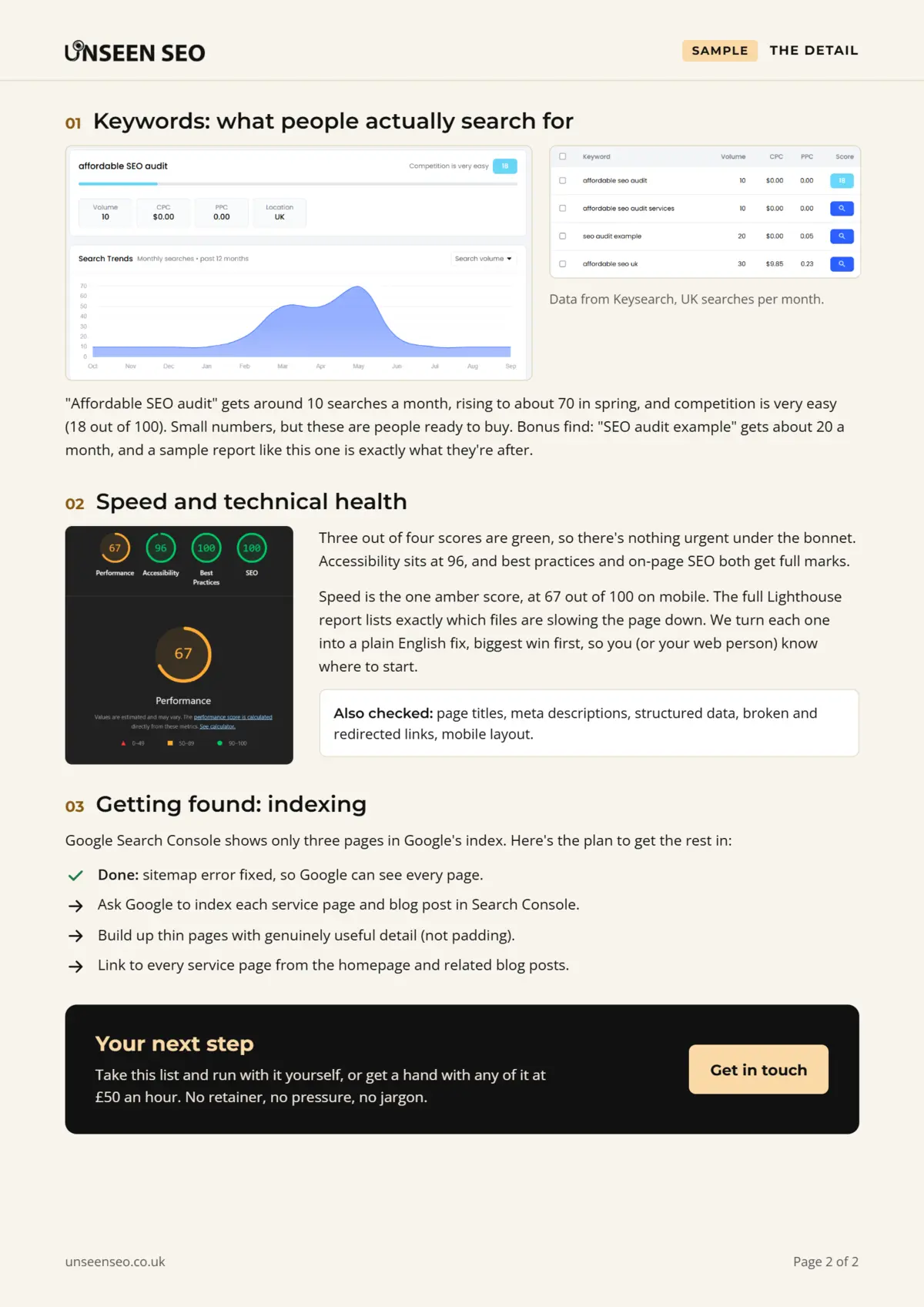
To check every page at once, a crawler like Screaming Frog (free for up to 500 pages) lists every meta description on your website, along with its length, and flags any that are missing or duplicated. That’s how we spot problems in an SEO audit: page titles and meta descriptions get checked on every page, as you can see in the findings page of the audit we ran on our own website:
Meta description generators
A meta description generator uses AI to write a description for you, and lots of SEO plugins now have one built in. ChatGPT will happily do it too, if you paste in your page.
They’re a decent starting point, especially if you’ve got a lot of pages to get through. Just treat what they write as a first draft. AI tends to produce descriptions that sound fine but could apply to any business anywhere. Add the details only you know: your town, your prices, what makes you different. And always check it’s accurate before you hit save.
Meta description FAQs
Quick answers to the questions people ask most about meta descriptions.
A meta description is a short summary of a web page, written in the page’s code for search engines. Google often shows it as the text under the blue link in search results. It doesn’t affect rankings directly, but a good one encourages more people to click through to your website.
For a local plumber, a good example would be: “Plumber in Sheffield for repairs, boiler servicing and emergency call outs. Gas Safe registered, fixed prices, no call-out fee. Call for a free quote.” It says what the business does, where, why to choose them and what to do next, in around 150 characters.
Most websites let you add one without touching any code. In WordPress, install an SEO plugin like Yoast SEO, Rank Math or All in One SEO and fill in the meta description box on each page. Wix, Squarespace and Shopify have an SEO section in each page’s settings. Write a unique, accurate summary of around 120 to 155 characters that includes your main keyword and a reason to click.
Aim for roughly 120 to 155 characters. Google doesn’t have a fixed character limit, but it cuts descriptions off to fit the screen, at around 155 to 160 characters on desktop and about 120 on mobile. Put the most important information first so it survives being shortened.
Google treats meta descriptions as a suggestion. It often shows different text from your page when it thinks that better matches what someone searched for, which is especially common when a page ranks for lots of different searches. It’s also more likely to rewrite descriptions that are vague, duplicated, stuffed with keywords, very short or very long. A rewritten description isn’t a penalty.
Yes. They aren’t a ranking factor, so they won’t move you up Google, but they influence whether people click on your result once it’s there. They’re also used for link previews on social media and messaging apps, and AI tools can use them to understand what a page is about. For a few minutes’ work per page, they’re well worth writing.
On your own website, it’s usually in your SEO plugin or the SEO section of each page’s settings. On any website, you can right-click, choose “View page source” and search for name=”description”. Crawling tools like Screaming Frog can list the meta descriptions for every page on a site at once.
The meta title is the clickable blue headline in search results. It’s around 50 to 60 characters and affects rankings, so it should include your main keyword. The meta description is the summary underneath, around 120 to 155 characters. It doesn’t affect rankings directly, but it persuades people to click.
The five-minute version
If you take one thing from this guide: give every important page its own clear, honest description that says what you do, where, and why someone should pick you, in about 150 characters. That’s it. No need to obsess over the exact character count, and no need to cram in keywords.
Want us to check yours?
Missing, duplicated and cut-off meta descriptions are some of the most common things we find. Our £150 No Nonsense Audit checks every page title and description on your website, alongside things like thin content, and tells you exactly what to fix. Get in touch and we’ll take a look.

Leave a Reply