
Getting your first Google reviews is free, and the whole secret is simply asking. Most happy customers are glad to leave one; they just don’t think of it unless you give them a nudge and a link.
This guide covers how to get your review link, who to ask and how, when to ask, what Google (and UK law) doesn’t allow, and how to reply once the reviews start coming in. No tools to buy, no apps to sign up for.
Contents
- Why Google reviews matter
- Before you start: your Business Profile
- Get your review link and QR code
- Who to ask first
- How to ask (with a message you can copy)
- When to ask
- Put your link everywhere
- What you’re not allowed to do
- Reply to every review
- What if you get a bad review?
- How many reviews do you need?
- Mistakes to avoid
- Common questions
Why Google reviews matter
Reviews are the first thing many people look at when they find a local business on Google. A handful of genuine, recent reviews says “real business, real customers, does a decent job”. No reviews at all can make people wonder whether you’re still trading.
They help you show up, too. Google says that more reviews and positive ratings can help a business’s local ranking: the map results that appear when someone searches for something nearby (often called the local pack). It’s not the only factor, but it’s one you have a lot of control over.
And they’re free advertising written by your customers, in their words. Which is far more convincing than anything you could write about yourself (sorry).
Before you start: your Business Profile
Google reviews live on your Google Business Profile, the free listing that shows on Google Search and Maps. If you haven’t got one yet, or haven’t verified it, start there.
Our step-by-step guide on how to set up a Google Business Profile walks you through it. Once it’s verified, you can ask for reviews.
Get your review link and QR code
Google gives every Business Profile its own review link. Click it and it opens straight to the box for leaving a review, which removes most of the effort for your customer.
- Search for your business name on Google while signed in to the account that manages your profile
- Click Read reviews, then Get more reviews
- Copy the link, or download the QR code
Save the link somewhere handy, like a note on your phone, so you can send it in seconds. Print the QR code for anywhere customers see you in person.
Who to ask first
For your first few reviews, start with the people most likely to say yes:
- Recent customers, while the job is still fresh in their mind
- Regulars and repeat customers, who already know and like you
- Anyone who’s thanked you by text, email or in person. They’ve basically written the review already
- Past customers from the last few months, if you’ve never asked before. A short, friendly message is fine
One important rule: ask everyone, not just the customers you’re sure were delighted. Google doesn’t allow businesses to pick out only the happy customers to ask, and it doesn’t allow reviews from family, friends who aren’t customers or staff. More on that below.
How to ask (with a message you can copy)
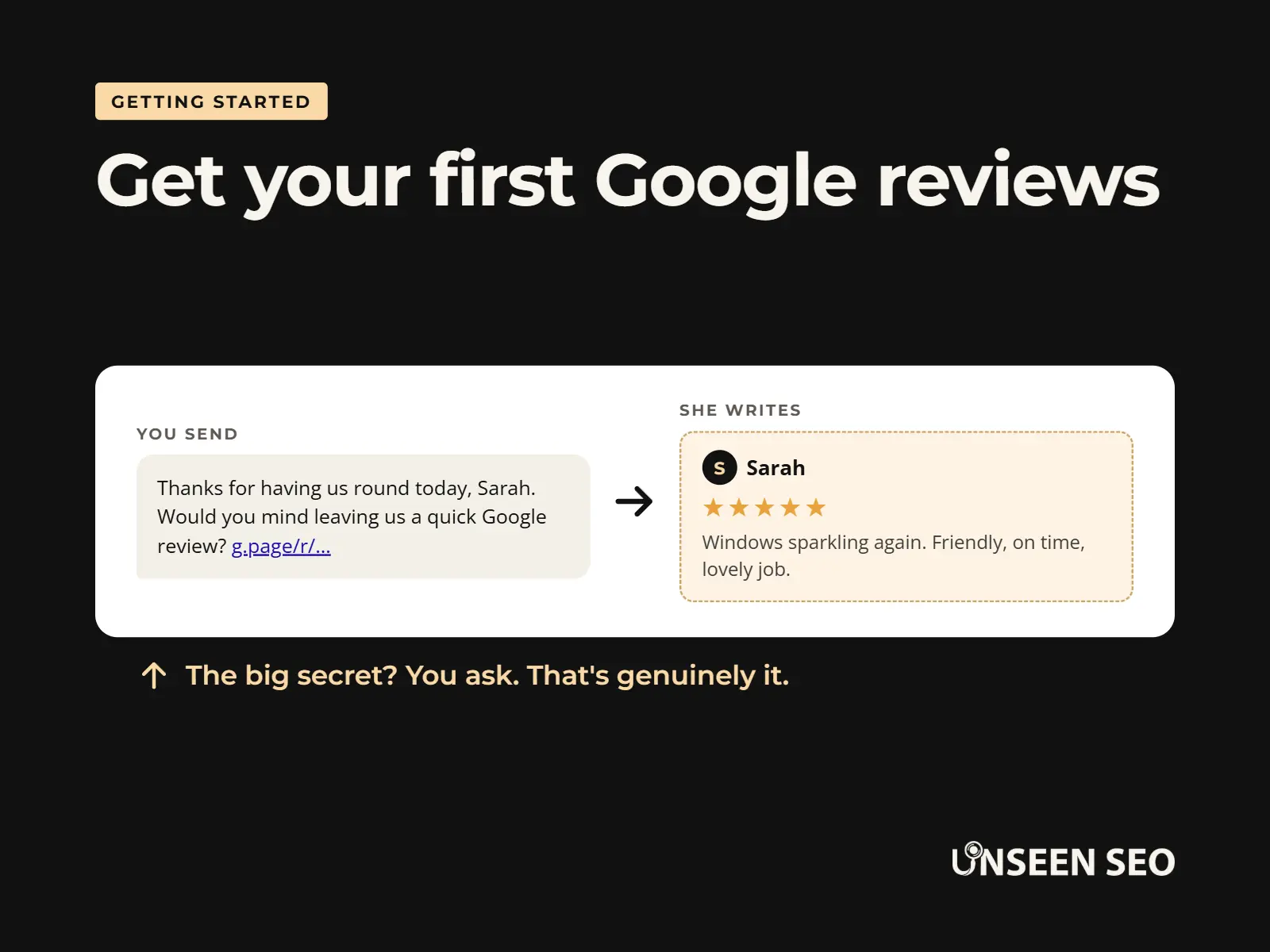
Keep it short, personal and easy. People are far more likely to leave a review if you ask them by name, mention the job, and include the link so it takes them seconds.
A message you can copy
Works by text, WhatsApp or email. Use their name, mention the job, and keep it short.
A few ways to ask:
- In person. At the end of a job, or at the till: “If you were happy with everything, a Google review would really help us out. I’ll text you the link.”
- By text or WhatsApp. The quickest option for most trades and services. Most people will tap a link on their phone there and then
- By email. Good for businesses that already email customers, like after sending an invoice
- On a card or receipt. A small card with your QR code and “Enjoyed it? Tell Google” works well for shops, cafés and salons
Don’t ask for a five-star review, and don’t tell people what to write. Just ask for an honest review. It’s what Google expects, and it reads better anyway.
When to ask
The best time is shortly after the job’s done, when the customer is happy and remembers the details. Same day is ideal; within a few days is fine.
If they don’t get round to it, one polite reminder a few days later is fine. After that, leave it. Nobody leaves a glowing review after their fourth nudge.
It’s also worth making asking a habit rather than a one-off push. A steady trickle of reviews looks more natural than twenty in one week and then nothing for a year.
Put your link everywhere
Once you’ve got your link and QR code, add them to the places customers already see:
- Invoices and receipts
- Your email signature
- Follow-up texts or emails after a job
- A small sign or card by the till, on the counter or in the van
- Your website’s contact page
Every place you add it is one less excuse for a happy customer not to leave a review.
What you’re not allowed to do
This is the bit that catches people out. Google has clear rules about reviews, and since April 2025 fake reviews have also been illegal in the UK under the Digital Markets, Competition and Consumers Act.
Fine vs not fine
Fine
Asking every customer for an honest review
Sending your review link or QR code
A friendly reminder a few days later
Replying to every review
Not fine
Discounts or freebies for a review
Only asking the customers you know were happy
Reviews from family, friends or staff
Buying reviews, or writing them yourself
- No incentives. Google doesn’t allow payment, discounts or free goods or services in exchange for a review, even an honest one. A “10% off for a review” offer counts
- No review gating. You can’t only ask the customers you think will be happy, or put people off leaving negative reviews
- No conflicts of interest. No reviews from family, staff, or anyone with a personal or business connection to you
- No fake or bought reviews. Under UK law, writing, buying or commissioning fake reviews, or hiding that a review was incentivised, is banned, and the regulator (the CMA) can fine businesses that break the rules
- Don’t write reviews for customers. Even if they say “just write something and I’ll post it”. It needs to be their words
Breaking Google’s rules can mean reviews being removed, or in worse cases restrictions on your profile. It’s simply not worth it. You’ll see plenty of people online selling reviews. Ignore them.
Reply to every review
Replying shows potential customers that you’re around and that you care. It takes a minute, and Google recommends keeping replies short, specific and professional.
For a positive review: thank them by name and mention something specific.
“Thanks so much, Sarah. Glad the windows are sparkling again, and see you in six weeks.”
For a negative review: stay calm, don’t argue, and take it offline.
“Sorry to hear this, Dave. That’s not the standard we aim for. I’d like to put it right, so please give me a call on the number on our profile.”
Avoid copy-and-paste replies, sales pitches, or anything personal about the customer. Remember: you’re writing for the next person reading it as much as the reviewer.
What if you get a bad review?
It happens to every business eventually, and it’s not the end of the world. A business with a few honest, mixed reviews often looks more trustworthy than one with nothing but perfect scores.
- Don’t reply straight away if you’re annoyed. Give it an hour
- Reply politely and offer to sort it out. Future customers judge you on how you handle it
- Report it only if it breaks the rules. For example, spam, abuse, or someone who clearly was never a customer. You can’t have a review removed just because it’s negative
- Keep asking for reviews. New, positive reviews will naturally push older ones further down
How many reviews do you need?
There’s no magic number. A good starting point is to look at the businesses that show up when you search for your service in your area, and see roughly how many reviews they have. That’s your benchmark.
For most local businesses, getting your first five to ten genuine reviews makes a big difference to how trustworthy your profile looks. After that, aim for a steady flow rather than a big push. Recent reviews matter to customers, so a review from last week is worth more than a dozen from 2021.
Reviews are just one part of showing up locally. If your business isn’t appearing on Google at all, our guide on why your business might not be showing up on Google covers the other usual suspects.
Mistakes to avoid
- Not asking. By far the most common one. Most happy customers just don’t think to leave a review
- Making it hard. “Find us on Google and leave a review” loses people. Send the direct link
- Offering something in return. Even a small discount breaks Google’s rules
- Asking only the happy ones. Ask everyone
- Asking all at once. A sudden burst can look suspicious. Build the habit instead
- Ignoring reviews. Reply to all of them, good and bad
- Getting into arguments. Win the reader, not the row
Common questions about Google reviews
Quick answers to the questions people ask Google most about getting Google reviews.
Set up and verify your free Google Business Profile, then get your review link from it (Read reviews, then Get more reviews). Send that link to your recent customers with a short, personal message asking for an honest review. Ask everyone, not just the ones you think will be glowing.
Asking is free, and it’s the only way that’s allowed. Google gives you a review link and QR code at no cost, so you can text, email or print them. You can’t pay for reviews or give anything in return for them, so free really is the only option.
Nothing. Your Google Business Profile, your review link and your QR code are all free. Paying for reviews breaks Google’s rules and, since April 2025, UK law, so be wary of anyone selling them.
Usually within minutes, but not always. Google checks reviews for spam, so some take longer to appear, and some never appear if Google thinks they break its rules. If several reviews arrive at once, Google may look at them more closely.
Search for your business name on Google or Google Maps while signed in to the account that manages your profile, then click Read reviews. You’ll see them all there, and you can reply from the same place.
No. Google doesn’t allow any payment, discount or freebie in exchange for a review, even if you only ask for an honest one. Incentivised reviews can be removed, and hiding the fact a review was incentivised is also against UK consumer law.
No. Google doesn’t allow reviews from anyone with a conflict of interest, which includes family, staff and anyone else with a personal or business connection to you. Friends who have genuinely paid for your service are a grey area, so stick to real customers.
Yes, they need to be signed in to a Google account. It doesn’t have to be a Gmail address, though. Anyone can create a Google account with the email address they already use.
No. Business owners can’t delete reviews. You can report a review if it breaks Google’s rules (spam, abuse, or someone who was never a customer), and Google will decide. For genuine negative reviews, a calm, helpful reply is the best fix.
The 30-second version
Google reviews are free, and the way to get them is to ask. Set up your Business Profile, grab your review link and QR code, and send it to every customer shortly after the job with a short, personal message. Don’t offer anything in return, don’t cherry-pick happy customers, and don’t ask family or staff. Reply to every review, stay calm with bad ones, and keep the habit going.
Want a hand with it?
Not sure your Google Business Profile is set up properly, or why you’re not showing up in the map results? Our £150 No Nonsense Audit checks your profile, your reviews and everything else affecting how you show up locally, then tells you in plain English what to fix first. No retainer, no contract. If you’d rather talk it through, that’s £50 an hour. Or just drop us a message.

Leave a Reply